

A popular subject is a starting point, not a finished video idea. Before you record, identify the question a viewer is trying to answer and decide what you can demonstrate clearly. This guide turns topic research into a practical brief without promising rankings or viral reach.
What Creator Search Insights offers
In its official introduction, TikTok describes Creator Search Insights as a tool for discovering subjects people search for. It explains that creators can search for “Creator Search Insights” in the app and explore topics, including a content-gap filter for subjects with search interest but relatively few videos. Availability was limited to selected regions at launch; check the options actually available in your account. TikTok’s official introduction.
Start with a question you can answer
Make a short list of candidate topics. Beside each, write one sentence beginning “After watching, the viewer will be able to…” If you cannot finish that sentence with a concrete result, narrow the topic before filming.
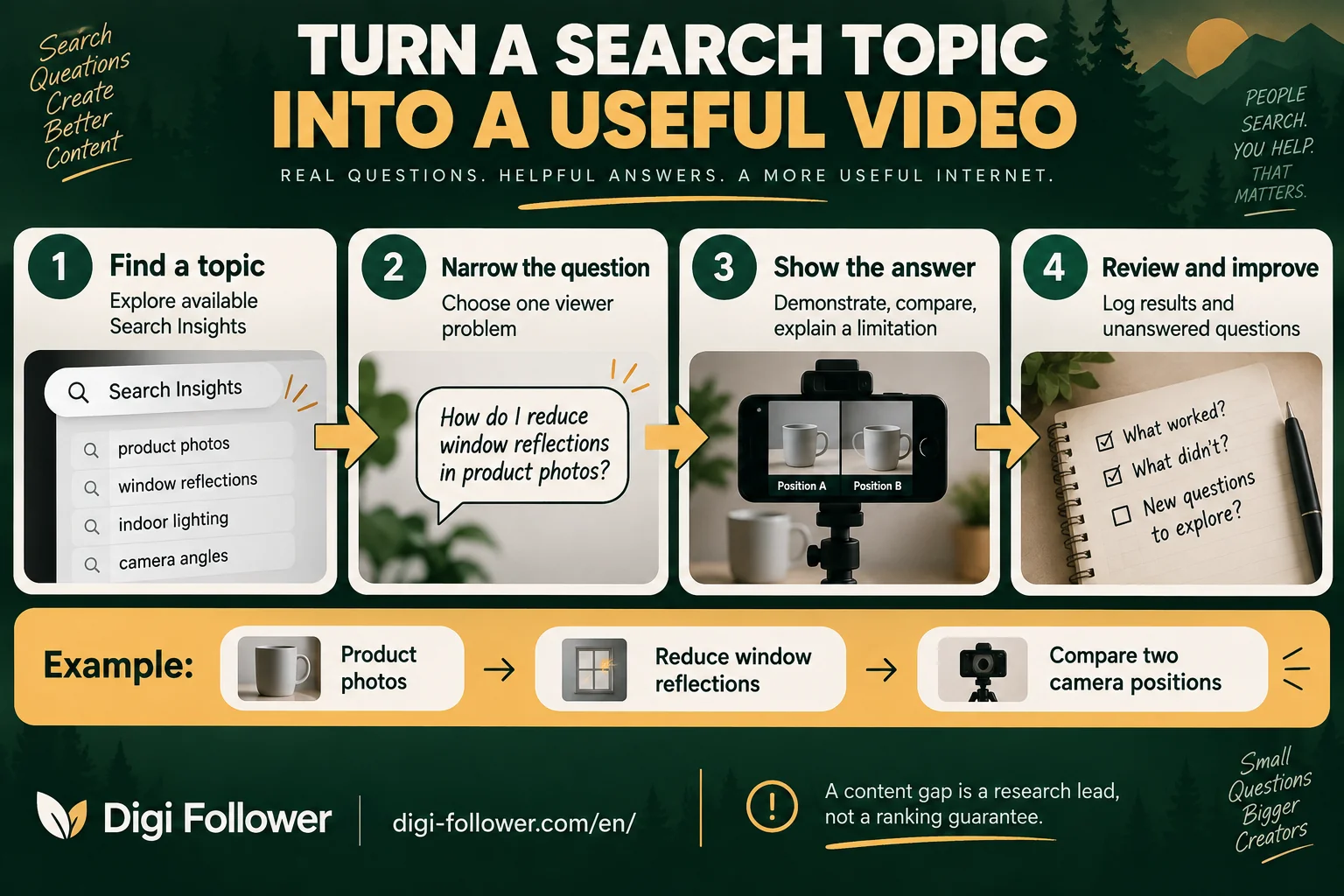
For example, “phone photography” is broad. “How to reduce window reflections when photographing a product” gives you a problem, a demonstration and an observable result. This is a hypothetical example, not a claim that either phrase is currently trending.
| Brief field | Example |
|---|---|
| Viewer’s problem | Reflections hide the product |
| Demonstration | Compare two camera positions using the same product |
| Evidence | Show both images rather than only describing the improvement |
| Limitation | Results depend on the room and light |
| Next question | What changes when the object is curved? |
Check whether your answer adds something
Review a small set of relevant results and note what they already explain. Look for a missing step, an unclear example or a condition nobody demonstrates. Do not copy another creator’s script, sequence or graphics. Build your own explanation around something you can verify.
A content gap is an invitation to investigate, not proof that every available answer is poor. If existing videos answer the question well, choose a more specific angle or a different topic. Avoid stretching a simple answer into a long video just to make it appear more comprehensive.
Make the video match the question
TikTok lists the match between content and a search query among factors that can influence search results. It also describes user interactions and other contextual factors, so relevance should not be presented as a guaranteed ranking formula. TikTok: How content is recommended.
Our suggested structure is simple: state the problem, show the method, compare the result and explain one limitation. Use a title and description that accurately reflect the demonstration. A clear answer is more useful than a list of loosely related keywords.
Review results without inventing demand
Keep the topic, publishing date, question and available performance observations in a small log. Compare similar observation periods. Mark missing information as unavailable rather than treating it as zero. Website impressions in Google Search Console and interest inside TikTok are different measurements; do not label either as the other.
Use the review to decide what to clarify next. A follow-up that answers a real unresolved question is a stronger editorial choice than repeating the same tutorial with a slightly different heading.
Frequently asked questions
What should I do when a suggested topic is too broad?
Turn it into one question with an observable result. For example, narrow product photography to reducing window reflections, then decide what you can demonstrate.
Does a content gap guarantee views or search rankings?
No. Treat it as a lead for investigation. Check the existing answers and whether you can add a useful demonstration; search relevance is only one influence on results.
How can I make a useful video without copying competitors?
Note a missing step, unclear example or untested condition in existing explanations. Create your own demonstration and script around something you can verify.
What if Creator Search Insights is not available in my account?
Check the options actually available in your app and TikTok’s official guidance. Do not assume every region or account has identical tools, or present unavailable metrics as zero.
What should I show in the finished video?
State the viewer’s problem, demonstrate your method, compare the result and explain a limitation. Choose a title and description that accurately match that answer.
Which results should I record after publishing?
Log the topic, question, publication date and available performance observations, using comparable review periods. Keep TikTok interest separate from Google Search Console impressions and record unanswered questions for follow-ups.